 Muryo Tools
Since I started using LLMs daily, the opportunities to write Markdown have been quietly increasing — organizing prompts, turning outputs into documents… Each time, I find myself wishing for a lightweight editor where I can write quickly and share right away.
I tried existing tools, but each one left something to be desired.
Google Docs and Notion feel a bit heavy for creating and sharing documents. Their Markdown compatibility isn’t perfect either, which can make it tricky to reuse content elsewhere. And as throwaway documents pile up, the need for regular cleanup becomes its own subtle frustration.
Obsidian is powerful, but sharing documents poses a challenge. You can supplement it with paid Obsidian Publish or external plugins, but that’s a lot of overhead just to send someone a single link. The accumulation of throwaway notes in a Vault presents the same problem as with Google Docs.
IDEs like VS Code are heavy to launch just for Markdown, and open editor tabs eat into your workspace. Writing Markdown isn’t always tied to coding time, either.
Among existing online Markdown editors, I did find a few with URL-sharing features. But in each case, hitting the share button sent the content to a server, which issued a unique URL. That leaves some privacy concerns unanswered.
So I Built One
With all of that in mind, I built an editor that meets the following requirements:
- Start writing immediately — no installation or login required
- Real-time preview
- Markdown input assistance
- Auto-closing brackets, automatic list prefix insertion (
-,1.) on new lines, etc.
- Auto-closing brackets, automatic list prefix insertion (
- Share content via URL
- Content is never stored on a server
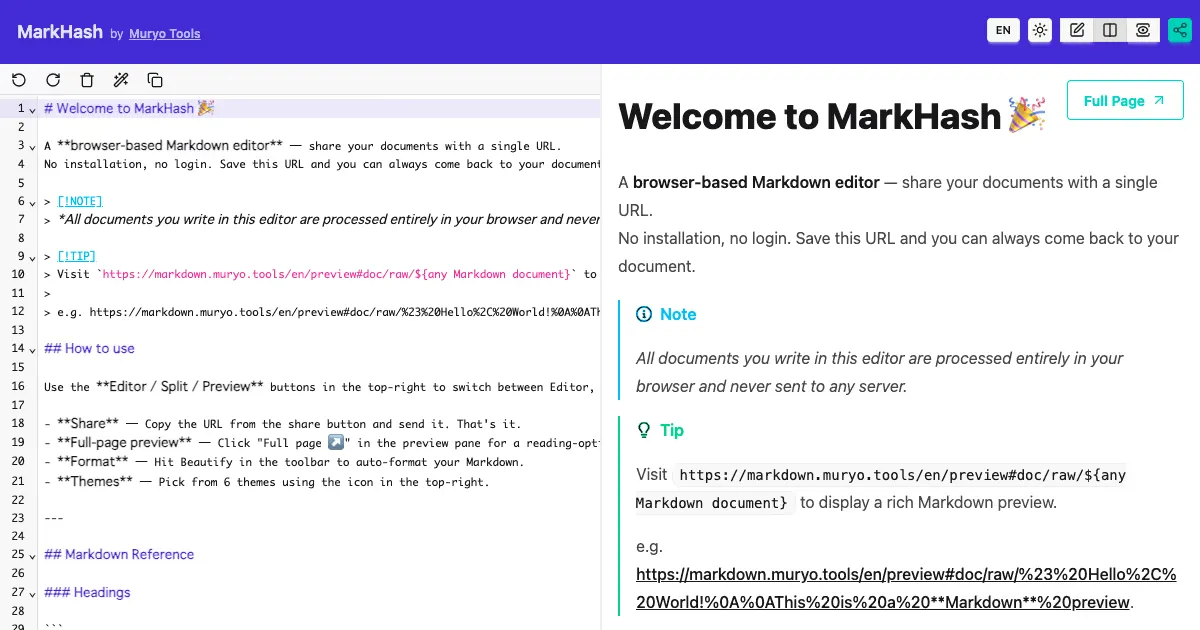
That editor is MarkHash.
Key Features
Real-Time Preview (3 Display Modes)
The editor includes a split-view mode that lets you see the rendered output as you type. You can switch between editor-only, split, and preview-only modes with a single click.
Dedicated Preview Page
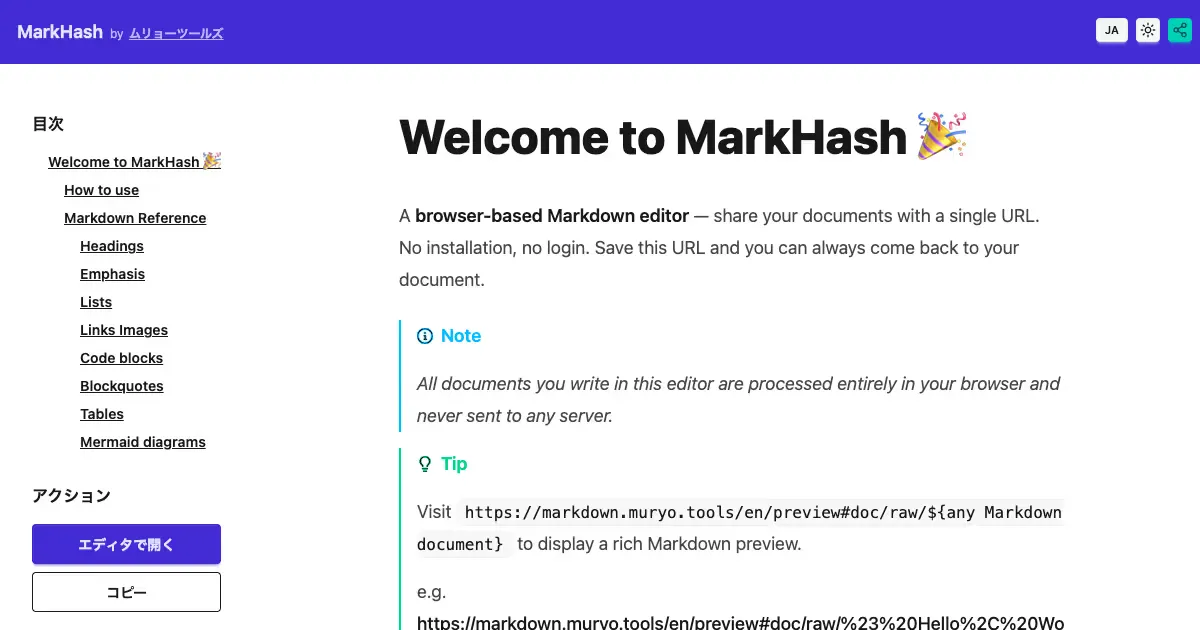
Clicking the “Full Page” button opens the document in a dedicated page optimized for reading. An automatically generated table of contents makes even long documents easy to navigate.
Mermaid Diagram Support
Just write ```mermaid and you can draw flowcharts and sequence diagrams inline.
Since diagrams are expressed entirely in text, this pairs perfectly with meeting notes and specification documents.
One-Click Formatting
The Beautify button auto-formats your Markdown. It helps maintain a consistent style by unifying heading levels and cleaning up extra blank lines.
Theme Switching
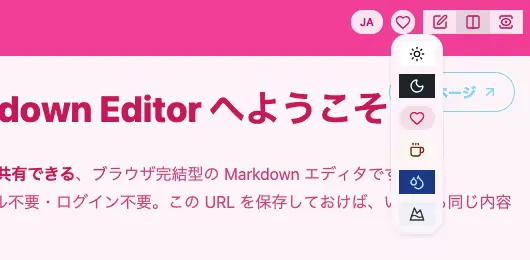
Six colorful themes are available. You can choose whether to include the theme in the shared URL, so the recipient can see the document in the same look and feel.
What I’m Most Proud Of: URL Sharing With No Server Storage
The most effort went into the URL sharing mechanism.
When you click the share button, the Markdown content is compressed and embedded in the hash portion (# and after) of the browser URL.
Example: https://markdown.muryo.tools/en/edit/#doc/lz/CoCwhgdg1gBAngewK4wGYIE4wwUzAEwEsIBzAQiA
The key advantage of this approach is that content is never sent to a server. Everything is processed entirely in the browser, so there’s no risk of internal information or personal notes being stored server-side.
A Note on Privacy
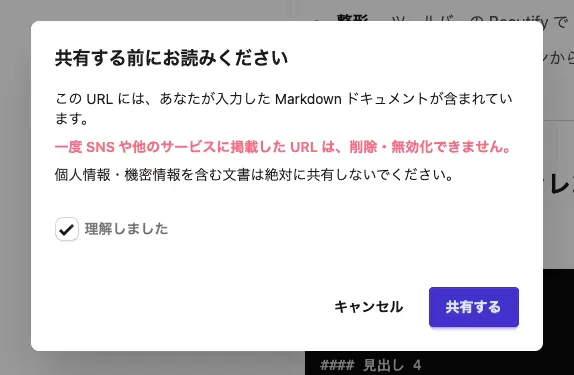
That said, since the URL contains the content itself, sharing the URL means sharing the content. Please be mindful of who you share it with. A warning dialog is shown before the first share.
Works Great With Browser Tab Split View
Recent browsers increasingly support a “tab split view” feature that displays two tabs side by side in the same window. MarkHash works well with this: open the editor in the left tab while working on something else in the right tab.
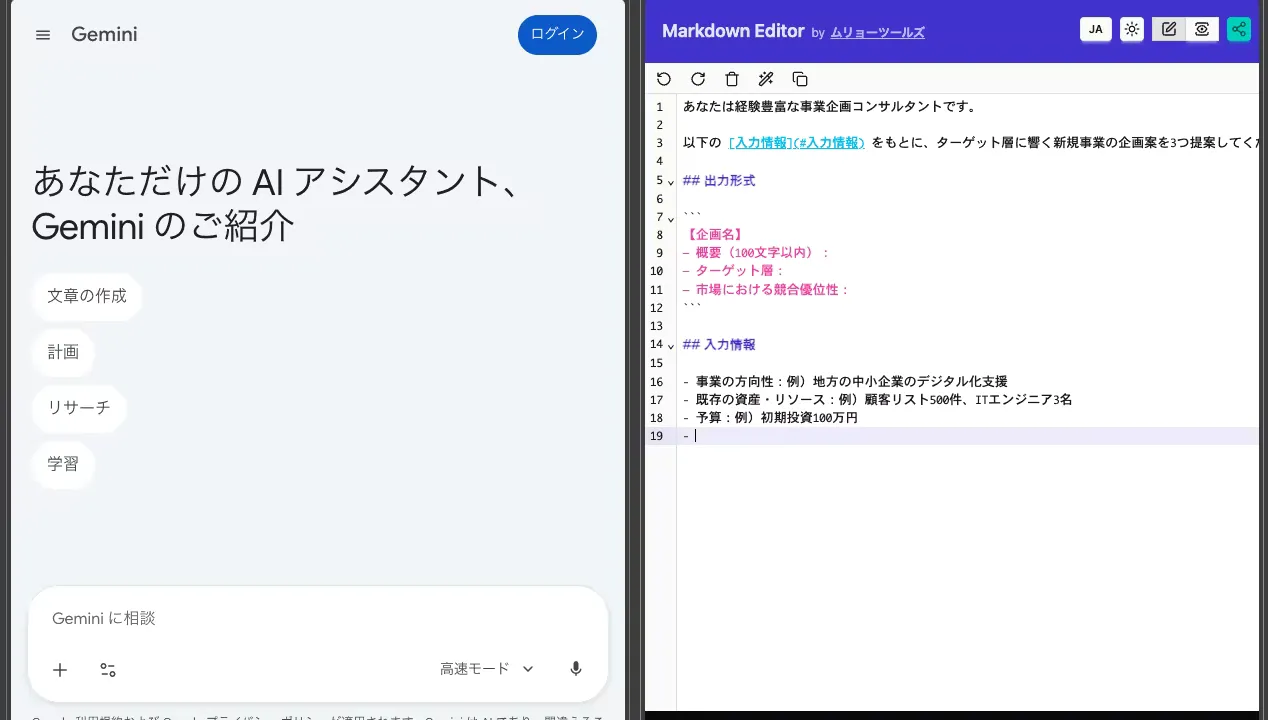
It’s especially handy when drafting prompts for LLMs — you can iterate freely without worrying about accidentally submitting with the Enter key.
Closing
MarkHash was built with a specific focus: write a little, share a little. No installation or registration required — give it a try.